EaseUS Review: Data Recovery, Backup, Pricing, and Real Trade-Offs
A lost file usually creates the worst possible buying environment. You are anxious, the drive may be failing, and every search result promises a rescue. That is exactly why an EaseUS review needs to be careful. The brand is visible, long-running, and broad, but data recovery is never a guaranteed purchase.
The short version: EaseUS is worth shortlisting if you need a guided utility for recovering files, creating backups, managing partitions, cloning disks, or moving data between PCs. The clearest case is EaseUS Data Recovery Wizard, especially when you can preview recoverable files before paying. The weaker case is a one-time buyer who only needs a small recovery, already has a full backup, or is comfortable with free technical tools.
This review is based on EaseUS official pages, current store pages checked on May 8, 2026, third-party editorial reviews, and public customer-review signals. We did not run a fresh forensic data recovery lab in this session. Our review standards are described in our editorial policy, and you can learn more about this site on our About page.
EaseUS Review: What the Brand Actually Covers
EaseUS is not a single app. The official EaseUS homepage groups the company around data recovery, partition management, backup and restore, data transfer, multimedia tools, mobile utilities, PDF tools, and newer AI-related services. That breadth is useful, but it also means buyers should avoid judging the whole brand from one product page.
The company history page says EaseUS was formally established in 2004 and traces its early products through data recovery, partition repair, Partition Master, and Todo Backup. The homepage uses larger company-reported scale signals, including 20+ years of experience, 190+ countries, 530M+ users, and 5000+ partners. Treat those as official scale claims, not independent audit numbers.
For most buyers, EaseUS has three relevant consumer jobs:
- Recover files after deletion, formatting, partition loss, OS crash, or damaged storage.
- Protect data before disaster through scheduled backup and restore tools.
- Manage disks through partition resizing, cloning, migration, and space reallocation.
Those are practical jobs. The key is matching the license to the problem instead of buying a bundle because the brand covers many categories.
Product Line Snapshot
| EaseUS product | Main job | Strong fit | Main caution |
|---|---|---|---|
| Data Recovery Wizard Pro | Recover deleted, formatted, or inaccessible files | Users who can preview recoverable files before paying | Recovery depends on overwrite status and drive condition |
| Todo Backup Home | Backup, restore, clone, and protect personal PC data | Home users who want scheduled image backups | Free or built-in backup tools may be enough for simple needs |
| Partition Master Pro | Resize, convert, clone, and manage disk partitions | Windows users upgrading drives or reorganizing storage | Partition changes carry real data-risk if misused |
| Disk Copy / Todo PCTrans | Clone disks or migrate apps and files | PC upgrade and replacement workflows | Job-specific tools may be cheaper if you only need one migration |
The main editorial point is simple: EaseUS is strongest as a problem-solving utility brand. It is less compelling as a casual subscription. If you do not have a specific recovery, backup, cloning, or migration job, wait until the job exists.
Data Recovery Wizard Is the Main Reason to Consider EaseUS
EaseUS Data Recovery Wizard is the product most people mean when they search for EaseUS. The official Data Recovery Wizard Pro page says it can recover data lost from deletion, formatting, partition loss, crashed systems, virus attack, USB drives, SD cards, cameras, and other devices. The same page lists 2000+ storage devices and 1000+ file types, plus a company-reported 99.7% recovery rate.
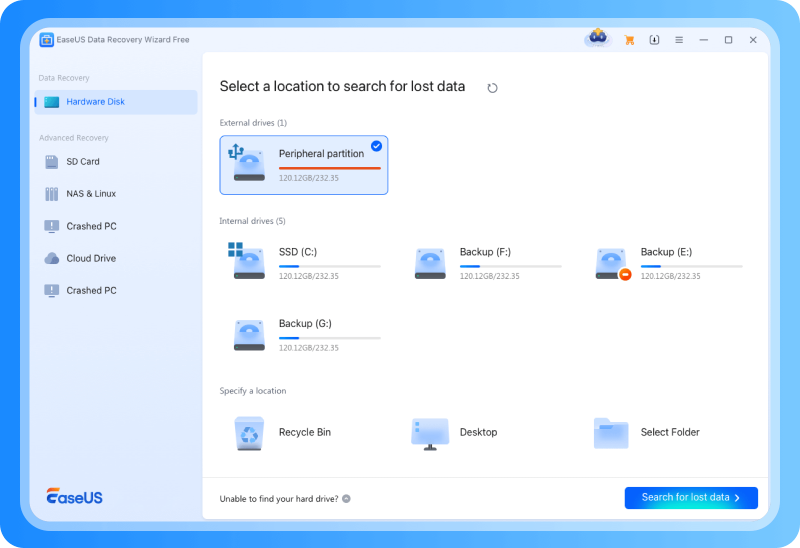
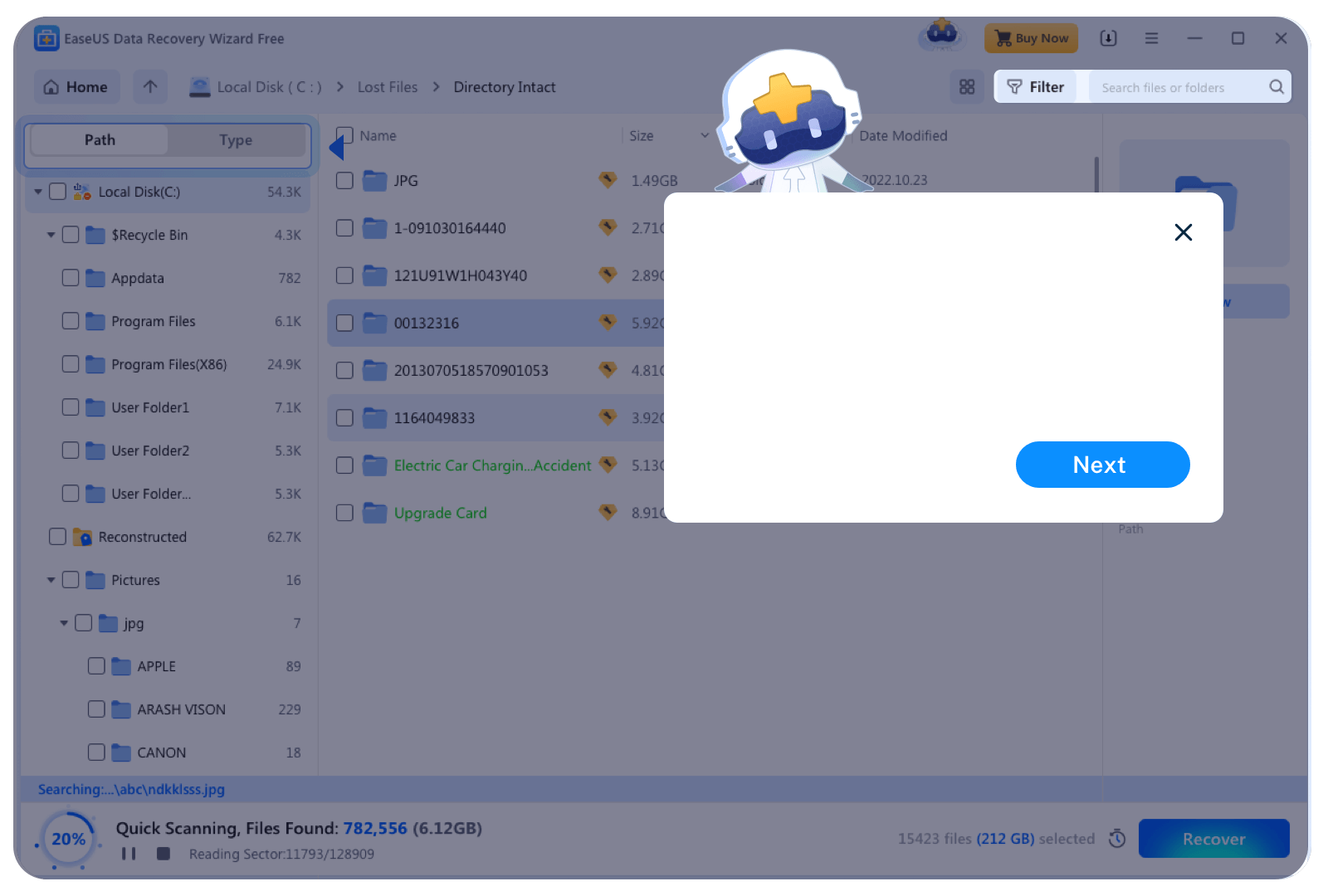
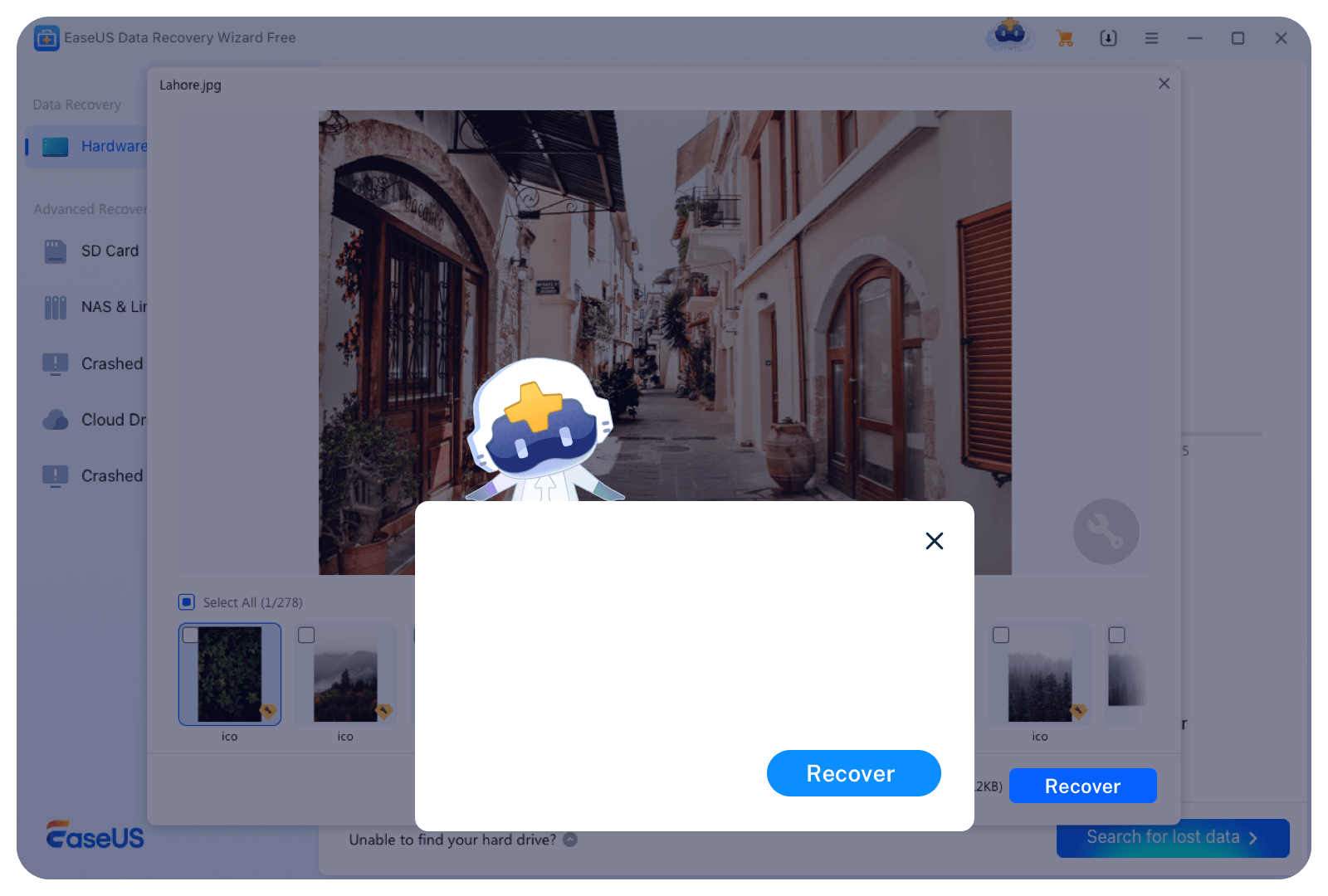
That feature set is credible for a consumer data recovery tool. The workflow is also buyer-friendly: select a location, scan, preview, and recover. Preview matters because it helps you avoid paying before you know whether the missing files are visible.
The caution is that data recovery is not magic. If new data has overwritten the deleted file blocks, software may not recover the original file. If a drive is physically damaged, a professional clean-room recovery service may be safer than repeated scans. If the lost files are business-critical, stop using the device first. Installing any recovery tool onto the same drive can reduce recovery odds because installation writes new data.
TechRadar updated its EaseUS Data Recovery Wizard Pro review on April 23, 2026. The review praised the guided interface, support for 1000+ formats and 2000+ device types, quick and deep scan modes, file preview, and the ability to recover during scans. It also called pricing somewhat high and noted a concern around the free recovery allowance during testing. That is a useful balanced signal: the product is capable, but not automatically cheap for one-time use.
Pricing: Useful, but Check the Exact Checkout Page
EaseUS pricing changes across product pages, store paths, regional pages, and promotions. That is common in utility software, but it means buyers should verify the final checkout rather than relying on a review snippet.
On the official Data Recovery Wizard Pro page checked on May 8, 2026, Windows pricing was listed as $69.95 for one month, $99.95 for one year, and $149.95 for lifetime upgrades. The same page lists a 30-day money-back guarantee and free remote assistance for paid plans.
The broader official EaseUS Store Center showed Data Recovery Wizard Pro at the same $69.95 / $99.95 / $149.95 Windows price points. It also showed Partition Master Pro at $29.95 monthly, $49.95 yearly, and $69.95 lifetime, while Todo Backup Home appeared at $39.95 yearly, $59.95 perpetual, and $79.95 lifetime.
Those numbers make the most sense when the problem is expensive. Recovering a client folder, family photos, a thesis draft, or a business spreadsheet can justify a $69.95 one-month license. Recovering a disposable download folder probably cannot.
If your need is education rather than utility software, start with our online course buying guide instead. If your concern is digital security more broadly, our F-Secure review covers antivirus, VPN, and identity-protection trade-offs.
Backup and Partition Tools: Helpful Before the Disaster
The backup side of EaseUS is less dramatic than data recovery, but it may be more important. Recovery software is what you use after something goes wrong. Backup software is what keeps that emergency from becoming permanent.
The official Todo Backup support documentation describes Free and Home editions for home users. It lists file, disk, partition, system, Smart Backup, mail backup, recovery, clone, system transfer, emergency disk, and cloud backup workflows. It also explains full, differential, and incremental backup behavior.
TechRadar's EaseUS Todo Backup review, last updated in 2024, praised backup speed and feature range, but criticized constant popups and limited customer support. Because that review is older, treat it as a usability signal rather than a fresh pricing authority.
Partition Master is the other common EaseUS utility. It is useful when resizing partitions, converting disk formats, cloning drives, or making better use of SSD space. The risk is that partition work is inherently sensitive. A clean UI does not remove the need for a backup. Before any partition resize, clone, or conversion, back up important files and avoid running the operation on an unstable drive.
What Third-Party Review Signals Say
Public review signals for EaseUS are broadly positive, but they need context. Trustpilot currently shows EaseUS reviews with a 4.8 score across more than 38,000 reviews. The review summary emphasizes customer support, staff helpfulness, response time, and service, while also noting some mixed product experiences and refund or activation complaints.
G2 lists EaseUS Data Recovery at 4.8 out of 5 from 372 reviews. Its summary highlights ease of use, recovery workflow, preview before recovery, and pricing concerns for one-time use.
Those signals are useful because data recovery software often succeeds or fails under stress. Users care about support responsiveness, activation help, and whether the app makes the next step obvious. But review platforms are not forensic tests. They do not prove that a product will recover a specific disk, card, or corrupted file.
The balanced interpretation is this: EaseUS has strong consumer visibility, a long product history, and many satisfied users, but recovery outcomes remain case-by-case.
Who Should Consider EaseUS
Consider EaseUS if you have a specific data job and want a guided interface. Good examples include a deleted folder you need back, an SD card that suddenly looks empty, a formatted external drive, a Windows PC that needs scheduled image backups, or an SSD upgrade where disk cloning would save hours.
EaseUS also fits people who are not technical enough to use tools like TestDisk or command-line recovery utilities. That is not a weakness. In a stressful data-loss moment, a clear interface can be worth paying for.
The strongest buying sequence is cautious:
- Stop writing data to the affected drive.
- Install recovery software on a different drive if possible.
- Run the scan and preview recoverable files.
- Buy only if the files you need appear recoverable.
- Save recovered files to a different disk.
That sequence protects you from the most expensive mistake: paying before you know whether the target files are visible.
Who Should Skip EaseUS or Compare Alternatives
Skip EaseUS if your files are not important enough to justify the license price. For small accidental deletions, free tools may be enough. If you already have a current backup, restore from that backup before buying recovery software.
Be cautious if the drive is physically failing. Clicking, grinding, disappearing from BIOS, overheating, or repeatedly disconnecting are warning signs. In those cases, repeated scans may make the situation worse. A professional recovery service may be expensive, but it can be safer for irreplaceable data.
Also compare alternatives if you need a specialist tool. Mac-heavy users may want to compare Disk Drill or Stellar. IT teams may prefer enterprise backup tools with central management, audit logs, and endpoint security integration. If you are learning technical skills rather than repairing a PC, resources like our Coursera deep dive or 101 Blockchains review are more relevant than a utility purchase.
Practical Buying Advice
EaseUS is easiest to justify when the value of the lost or protected data is higher than the software license. That sounds obvious, but it prevents bad purchases. A $99.95 yearly recovery license is rational for work files, family media, and client data. It is harder to justify for one recoverable download or an experiment.
For backup and partition tools, the logic is different. You are paying for risk reduction and time saved. Todo Backup makes sense if you will actually schedule backups. Partition Master makes sense if you have a real disk-management job. Disk Copy or PCTrans makes sense during a PC upgrade. Buying the full family of tools without an active job is usually unnecessary.
Affiliate disclosure: This site may earn a commission if a purchase is made through links on this page. That does not change our editorial assessment, and we do not add manual affiliate tracking links inside source references.
Frequently Asked Questions
Is EaseUS safe to use? EaseUS is a long-running software company with official Windows and Mac utilities, public support pages, and broad third-party review visibility. The safer approach is to download only from the official EaseUS site, avoid cracked installers, and install recovery tools on a different drive from the one that lost data.
Can EaseUS recover everything? No data recovery tool can guarantee that. EaseUS can scan for deleted, formatted, lost-partition, and inaccessible data, but recovery depends on whether the original data has been overwritten and whether the device is physically healthy. Preview results before paying whenever possible.
How much does EaseUS Data Recovery Wizard cost? On the official Windows product page checked on May 8, 2026, Data Recovery Wizard Pro was listed at $69.95 for one month, $99.95 for one year, and $149.95 for lifetime upgrades. Prices can vary by region, product bundle, and promotion, so verify checkout before purchase.
Is the free version enough? It may be enough for small recoveries or for checking whether files are visible. The free and trial experience is most useful as a scan-and-preview step. If the files you need do not appear in preview, paying is unlikely to solve that specific case.
Is EaseUS better for recovery or backup? EaseUS is better known for Data Recovery Wizard, but backup is the healthier habit. Recovery is reactive. Todo Backup can reduce the chance that one deletion, failed update, or broken drive becomes a crisis. If you do not currently have backups, fix that before the next emergency.
Should I buy lifetime upgrades? Only if you expect to use the product repeatedly. Lifetime pricing can make sense for IT helpers, photographers, frequent PC upgraders, or small-business users. For one recovery incident, the one-month plan is usually the more rational starting point.
Bottom Line
EaseUS is a credible utility brand, especially for guided data recovery and practical PC maintenance jobs. Data Recovery Wizard is the clearest reason to consider it, while Todo Backup and Partition Master make sense when you have a real backup or disk-management workflow.
The main buying rule is restraint. Scan first, preview first, and pay only when the product is solving a specific problem. EaseUS can be a useful rescue tool, but the best outcome is still boring: a current backup that means you never need recovery software in the first place.
References
- EaseUS official homepage
- EaseUS company history and about page
- EaseUS Data Recovery Wizard Pro official page
- EaseUS Store Center
- EaseUS Todo Backup support documentation
- TechRadar EaseUS Data Recovery Wizard Pro review
- TechRadar EaseUS Todo Backup review
- EaseUS Trustpilot reviews
- EaseUS Data Recovery reviews on G2
Title Candidates
- EaseUS Review: Data Recovery, Backup, Pricing, and Real Trade-Offs (specificity + buyer intent)
- Is EaseUS Worth It? Data Recovery, Backup Tools, and Pricing Checks (question + purchase friction)
- EaseUS Data Recovery Review: What to Know Before You Pay (risk reduction + practical outcome)
- EaseUS Review 2026: When the Utility Suite Makes Sense (freshness + fit framing)
- EaseUS Pricing and Review: Recovery Strengths, Limits, and Safer Buying Steps (pain point + decision support)