Otter AI Review 2026: Meeting Notes, Pricing, Privacy, and Student Fit

A meeting can feel productive while it is happening and still create work afterward. Someone needs to remember the decision, clean up the notes, assign the follow-ups, and find the exact quote two weeks later. Students face the same pattern with lectures. Interviewers face it with source calls. That is why people search for an Otter AI review: they are not just buying transcription, they are trying to reduce the memory tax attached to conversations.
The short version: Otter AI is useful when transcripts, summaries, action items, and searchable notes save more time than the subscription costs. It is less convincing if your conversations are rare, highly confidential, noisy, multilingual beyond Otter's current support, or require exact records without manual review. This review is based on official Otter pages, Help Center documentation, pricing checked on May 18, 2026, G2 and Trustpilot review signals, and public reporting about privacy litigation allegations. We did not run a fresh transcription accuracy lab. Our review standards are explained in our editorial policy, and the site background is on our About page.
Otter AI Review: What Otter Actually Does
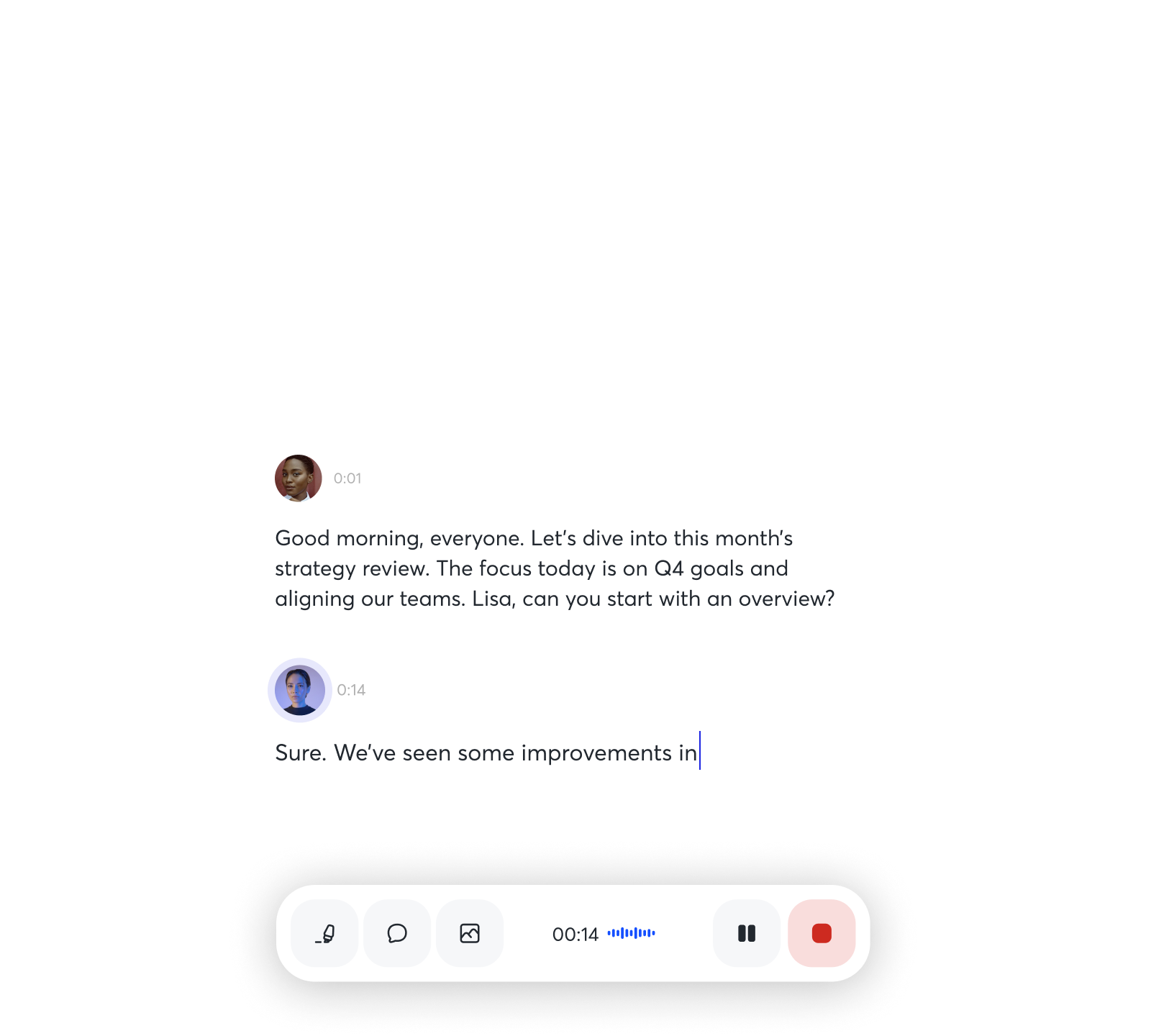
Otter describes itself as an AI meeting assistant and notetaker. In practical terms, it can record meetings, create live transcripts, produce summaries, identify speakers, extract action items, and let users ask questions across meeting content. Otter can also join Zoom, Google Meet, and Microsoft Teams through Notetaker, while its desktop app supports bot-free recording from Mac or Windows.
The product is strongest when a conversation has future value. A casual 10-minute catch-up probably does not need Otter. A thesis meeting, class lecture, research interview, customer discovery call, board update, or recurring team review often does, because the record helps you act later.
| Feature | What it does | Best fit |
|---|---|---|
| Live transcription | Converts conversation into text during or after the session | Lectures, interviews, meetings |
| Meeting summaries | Condenses decisions, topics, and follow-ups | Managers, founders, project teams |
| Otter AI Chat | Lets users ask questions about meeting content | People who revisit notes often |
| Notetaker bot | Joins Zoom, Google Meet, or Teams meetings | Teams that want automatic capture |
| Desktop/mobile recording | Captures conversations from a device | Students, journalists, consultants |
| Workspaces | Adds collaboration and admin controls | Small teams and organizations |

Otter AI Pricing and Plan Limits
Otter pricing changes often enough that buyers should check the official page before paying. On the pricing page checked May 18, 2026, Basic is free. Pro is listed at $16.99 per user per month on monthly billing, or $8.33 per user per month on annual billing. Business is listed at $30 per user per month monthly, or $19.99 per user per month annually. The page may also show temporary promotions, such as discounted first-month pricing for some plans.
Basic is enough to test real audio. It includes 300 monthly transcription minutes, 3 lifetime audio or video imports, live transcription, speaker identification, playback, mobile apps, AI Chat, meeting workflows, and support for Zoom, Microsoft Teams, and Google Meet. The important constraint is the 30-minute maximum transcription time per conversation and limited conversation history.
Pro is the individual upgrade. It raises limits to 1,200 in-app recording minutes, 10 monthly audio or video imports, up to 90 minutes per meeting, unlimited conversation history, more vocabulary support, advanced search, export, and playback. If you take weekly lectures, run interviews, or attend multiple client calls each week, Pro is the first paid plan to evaluate.
Business is the team plan. Otter lists unlimited meetings and in-app recordings, unlimited imports subject to monthly import minutes, up to 4 hours per meeting, 3 concurrent meetings, activity logs, usage analytics, admin features, and prioritized support. Enterprise adds larger security and control features such as SSO, SCIM, Domain Capture, API/webhooks, custom integrations, and HIPAA as an add-on process.
Where Otter Fits Students and Teachers
Otter now has a clearer education-specific surface than older meeting transcription tools. The official Education Agent page frames the product around before-class preparation, in-class note-taking, and post-class review. It lists smart research summaries, customizable study guides, real-time note-taking, keyword highlighting, concept mapping, action items, instant summaries, searchable notes, key concept extraction, outline help, and study material repurposing.
That can be genuinely useful, especially for students who struggle to listen and write at the same time. A searchable transcript can help you revisit a definition, find an assignment deadline, or review a professor's explanation before an exam. Teachers and advisors can also use transcripts to reduce meeting follow-up work.
The caution is learning quality. A transcript is a capture layer, not comprehension. The strongest student workflow is to let Otter capture the lecture, then rewrite the summary in your own words, turn unclear parts into questions, and connect the notes back to the syllabus or assignments. For course choice and credential decisions, pair this workflow with our online course buying guide, Coursera deep dive, and LinkedIn Learning deep dive.
Accuracy, Languages, and Editing Work
Otter can save time, but it should not be treated as a final transcript without review. G2 currently shows Otter.ai at 4.4 out of 5 from 484 reviews. Its review summary highlights real-time transcription, automatic meeting summaries, highlighting, and sharing as common positives. The same summary notes a recurring limitation: accents and background noise can reduce accuracy and create manual cleanup work.
That matches the right buying expectation. Otter is a draft-note engine. Clear audio, one speaker at a time, good microphones, and custom vocabulary improve the result. Crosstalk, heavy background noise, specialized jargon, and speaker changes make editing more likely. If you are quoting someone in journalism, research, legal notes, or medical documentation, verify the transcript against the audio before using the words as a record.
Otter's pricing table also lists AI transcription in English, Spanish, French, German, Japanese, and Chinese. If your normal meetings involve heavy code-switching or another language, run a real sample before upgrading.
Privacy, Consent, and Security Trade-Offs
The biggest Otter decision is not only price. It is whether your team can responsibly record and process conversation data. Otter's own security article says it uses AWS services in the AWS West region in the United States, stores data in S3, enables server-side encryption, and uses AES-256 encryption. The pricing page also lists TLS encryption, AES-256 encryption for real-time content, two-factor authentication, and higher-tier admin controls.
Those controls are useful, but they do not replace consent hygiene. In August 2025, WBHM/NPR reported that a class-action suit accused Otter of recording private work conversations without permission from all participants. That reporting describes allegations, not a final court finding. Still, it is a strong reason to avoid casual auto-join settings.
Teams should decide who can enable Notetaker, when participants are notified, whether external sharing is disabled, how long recordings are retained, who can export transcripts, and which meetings should never be recorded. Otter's HIPAA help article says HIPAA compliance is available only on Enterprise after a Business Associate Agreement process. It also says customers remain responsible for controls around PHI capture, calendar sync, auto-join, sharing, and access permissions.
If your main buying concern is security rather than note-taking, compare categories carefully. Our F-Secure review covers antivirus, VPN, scam protection, and identity monitoring rather than meeting transcription.
Third-Party Review Signals
Review signals are mixed in a way buyers should take seriously. G2 is broadly positive, with 4.4 out of 5 from 484 reviews. Users commonly value the time saved on meeting notes, automatic summaries, and the ability to share transcripts. The negatives center on recording issues, accuracy issues, and cleanup in difficult audio conditions.
Trustpilot is more cautious. Its Otter.ai profile shows a 3.1 TrustScore and more than 500 reviews. The summary says many users like the time-saving value of meeting transcription and summaries, but negative themes include customer service, subscription problems, unexpected charges, cancellation friction, inaccurate transcription, and account-management issues.
That does not mean Otter is a bad product. It means the buying sequence should be conservative: start on Basic, test your own meetings, confirm the transcript quality is good enough, review cancellation and billing settings, and then upgrade only if the saved time is recurring.

Who Should Use Otter AI
Otter is a good fit for people whose conversations turn into work. Students can use it for lecture capture and review. Journalists can use it for interview drafts, as long as quotes are checked. Founders and consultants can use it for customer discovery calls. Managers can use it for recurring team meetings where action items disappear without a written record. Sales and customer-success teams may benefit if notes need to move into CRM workflows.
The strongest signal that you should pay is not feature excitement. It is repeated saved time. If you use Otter every week and it reduces follow-up work, Pro or Business can make sense. If you only need occasional transcription, Basic or one-off alternatives may be enough.
A practical evaluation sequence:
- Test Basic on real conversations, not demo audio.
- Check your meeting length against the plan limits.
- Review transcripts for accents, crosstalk, names, and technical terms.
- Confirm summaries and action items are useful enough to trust as drafts.
- Set consent, auto-join, sharing, export, and retention rules before team rollout.
Who Should Compare Alternatives First
Compare alternatives before paying if your meetings are highly confidential, if participant consent is hard to manage, if you need human-grade transcripts, or if your workflow requires broader language support. Legal, healthcare, therapy, HR, and regulated education settings should not treat a normal meeting assistant setup as enough.
Also compare alternatives if you need a different product shape. Fathom, Fireflies, Granola, Microsoft Copilot, Rev, and human transcription services overlap with Otter but solve slightly different problems. Some focus on CRM workflows, some on bot-free capture, some on human review, and some on deep integration with a specific productivity suite.
The honest verdict is simple: Otter AI is a strong draft-note system when conversation capture creates recurring value. It is not a substitute for consent, policy, human judgment, or careful review.
FAQ
Is Otter AI free?
Yes. Otter Basic is free and includes limited monthly transcription minutes, live transcription, speaker identification, playback, mobile apps, AI Chat, and a small number of lifetime file imports. It is enough to test the product on real meetings, but regular users may hit limits quickly.
How much does Otter AI cost?
On the official pricing page checked May 18, 2026, Pro is listed at $16.99 per user per month monthly or $8.33 per user per month on annual billing. Business is listed at $30 monthly or $19.99 annually. Promotions and plan limits can change, so check the pricing page before buying.
Is Otter AI good for students?
Otter can be useful for students who need lecture transcripts, searchable notes, summaries, and review support. It is most helpful when students rewrite the notes in their own words afterward. It should not replace reading, studying, or asking clarifying questions.
Does Otter AI work with Zoom, Google Meet, and Microsoft Teams?
Yes. Otter says its Notetaker can join Zoom, Google Meet, and Microsoft Teams meetings and transcribe them in real time. It also offers desktop and mobile recording options, depending on the device and plan.
Is Otter AI accurate enough for interviews?
It can be useful for draft interview transcripts, but important quotes should be checked against the audio. Accuracy depends on audio quality, speaker overlap, accents, background noise, and specialized vocabulary.
Is Otter AI safe for confidential meetings?
It depends on the meeting type, consent process, workspace settings, and data policy. Sensitive teams should control auto-join, sharing, exports, retention, and access before using Otter. HIPAA use requires Enterprise and a BAA process.
Bottom Line
Otter AI is worth testing if conversations create follow-up work that you repeatedly struggle to capture. It can turn lectures, interviews, and meetings into searchable notes and useful summaries, and the free plan gives enough room to test the core workflow.
The reason to be cautious is not that Otter lacks value. The caution is that conversation data is sensitive and AI transcripts still need review. Use Otter when it saves recurring time, set consent and sharing rules before scaling it, and treat every summary as a draft until a human has checked the important parts.
References
- Otter official homepage
- Otter pricing page
- Otter Education Agent
- Otter Help Center: features
- Otter Help Center: data security and privacy policies
- Otter Help Center: HIPAA
- Otter.ai reviews on G2
- Otter.ai reviews on Trustpilot
- WBHM/NPR report on Otter privacy lawsuit allegations
Title Candidates
- Otter AI Review 2026: Meeting Notes, Pricing, Privacy, and Student Fit (freshness + buyer intent)
- Is Otter AI Worth Paying For? Pricing, Limits, and Privacy Checks (question + pain point)
- Otter AI for Students and Teams: Useful Notes, Real Consent Trade-Offs (audience fit + contrast)
- Before You Use Otter AI: Pricing, Accuracy, HIPAA, and Safer Settings (risk framing + checklist)
- Otter AI Review: When Meeting Transcripts Actually Save Time (outcome framing)