This Planner5D review is based on public product pages, Help Center articles, app store listings, and review platforms checked on May 19, 2026. Planner 5D did not sponsor this article. We did not create a paid account, apply for an education license, or run a first-hand classroom test. For how Aspects Inspire evaluates software and learning platforms, see our about page, editorial policy, and affiliate disclosure.
Planner5D Review: AI Home Design, Pricing, and School Fit
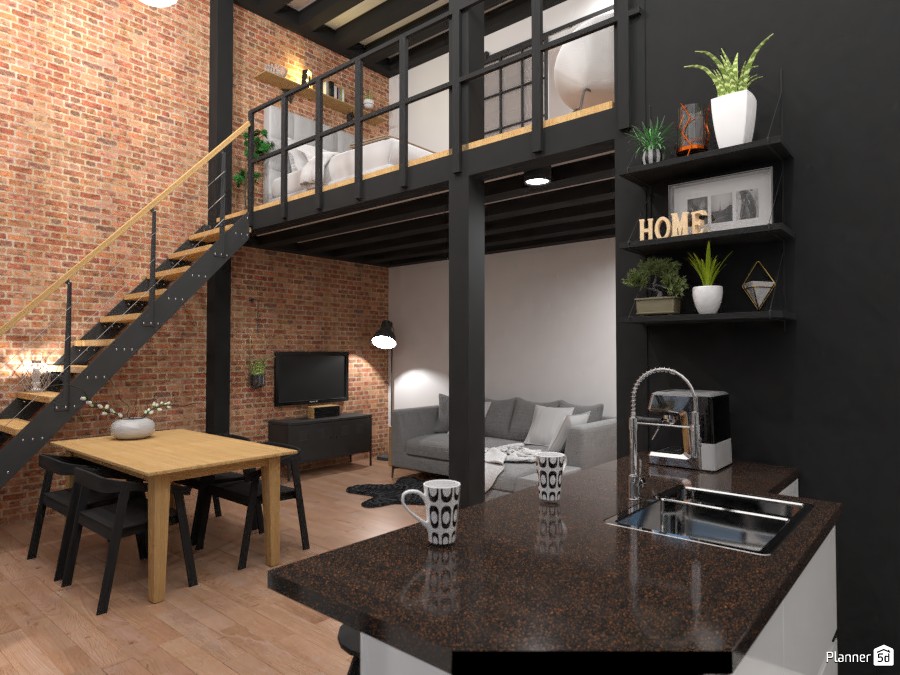
A room planner can look simple until the use case becomes real. A teacher needs thirty students to finish a layout project on school devices. A design learner wants a visual portfolio piece. A homeowner wants to test a kitchen idea without mistaking a polished render for a measured construction plan. That is where a Planner5D review needs to be more practical than promotional.
The short version: Planner5D is useful for visual ideation, beginner-friendly 2D and 3D room planning, AI-assisted layout exploration, and classroom design projects. It is not a full learning management system, a substitute for construction-grade CAD, or a product to upgrade without checking renewal rules. Treat it as a design visualization tool first, then decide whether the paid features solve a specific job.
Planner5D Review: What the Platform Does
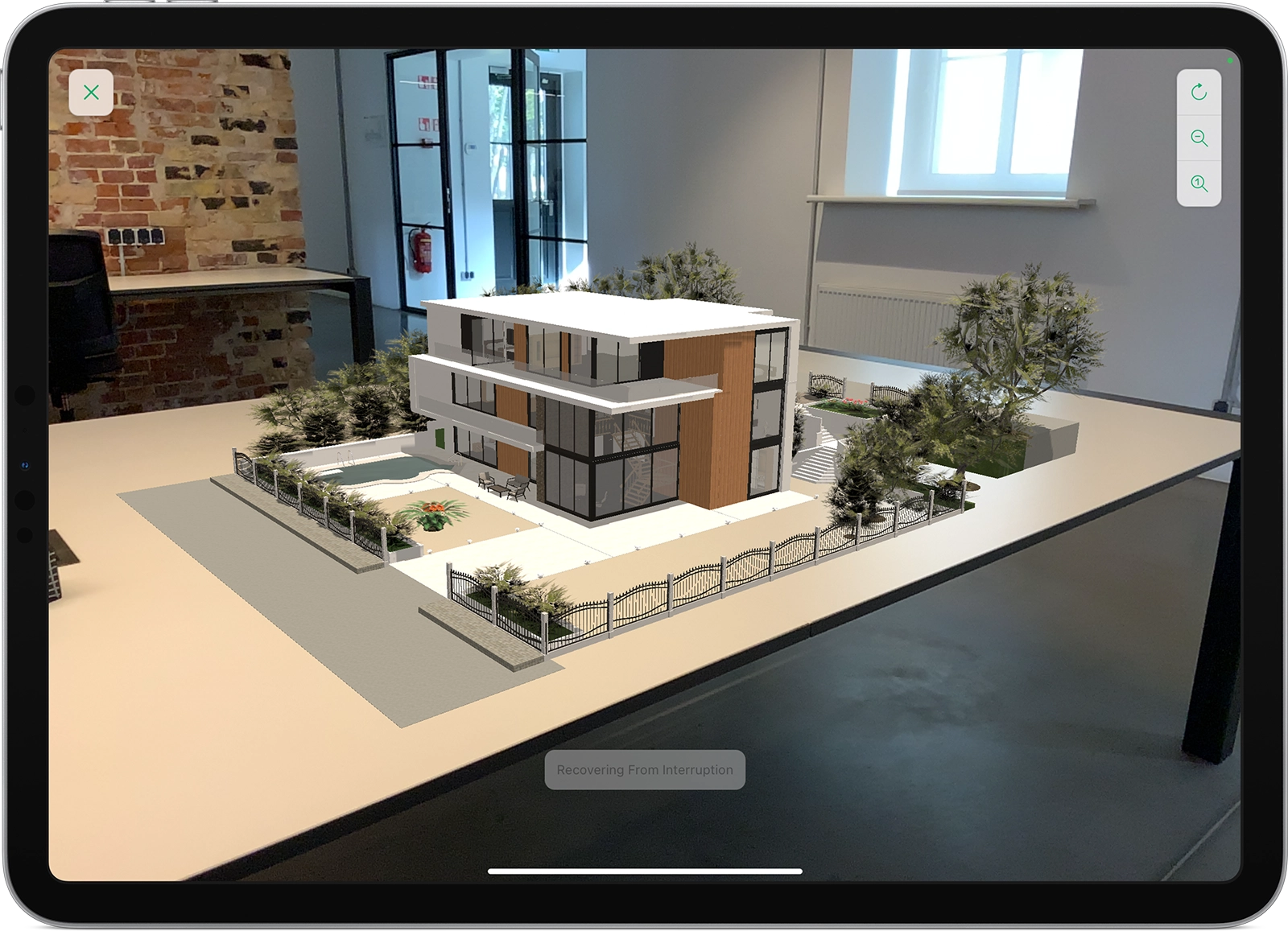
Planner 5D describes itself in its official Help Center overview as a simple app for creating interior and exterior designs in 2D and 3D modes. The same article says users can create detailed floor plans, browse a 6000+ item catalogue, create photo-realistic images, switch between metric and imperial systems, save projects, and share them with others.
That places Planner5D between lightweight room-planning apps and heavier architecture tools. The product is built for people who need to move from an idea to a visual plan without learning a professional CAD workflow. It can help with room layouts, home remodeling concepts, garden or exterior ideas, student design assignments, and early client conversations.
For this site, the important category boundary is clear. Planner5D can support learning, but it is not an education platform by itself. If your real decision is about course buying, compare our online course buying guide. If your decision is about school or team learning infrastructure, start with our LMS comparison guide. Planner5D belongs next to those systems when the course or assignment needs spatial design output.
Education Licenses and Classroom Fit
Planner5D has a stronger school angle than many consumer room-design apps. The official education page says the tool is free for schools and educational institutions worldwide and can be used for STEM classes, interior design basics, art, architecture, engineering, and problem-based learning. The page also says it works with Google Chromebook, macOS, Windows, Android, and iOS.
The more specific Program for Schools and Universities Help Center article was updated in January 2026. It says requests are accepted from teachers or professors, not individual students. The free education package includes reusable student licenses, access to the full Premium catalogue, five individual textures per student account, unlimited simple screenshots, access to an online Interior Design Course, and a certificate opportunity. It also says AI recognition is not included, so students create projects from scratch.
That exclusion is not automatically bad. In a classroom, forcing students to build the plan themselves can make the assignment more about measurement, constraints, and design reasoning instead of one-click output. A teacher could assign a bedroom redesign, accessible classroom, tiny home, school garden, retail corner, or cafe layout and ask students to explain their measurements and trade-offs.
The weak fit is administration. Planner5D does not appear to replace gradebooks, assignment rubrics, cohort analytics, student identity governance, or formal course delivery. It should sit beside an LMS, not replace one.
AI Design Tools, Renders, and Floor Plan Uploads
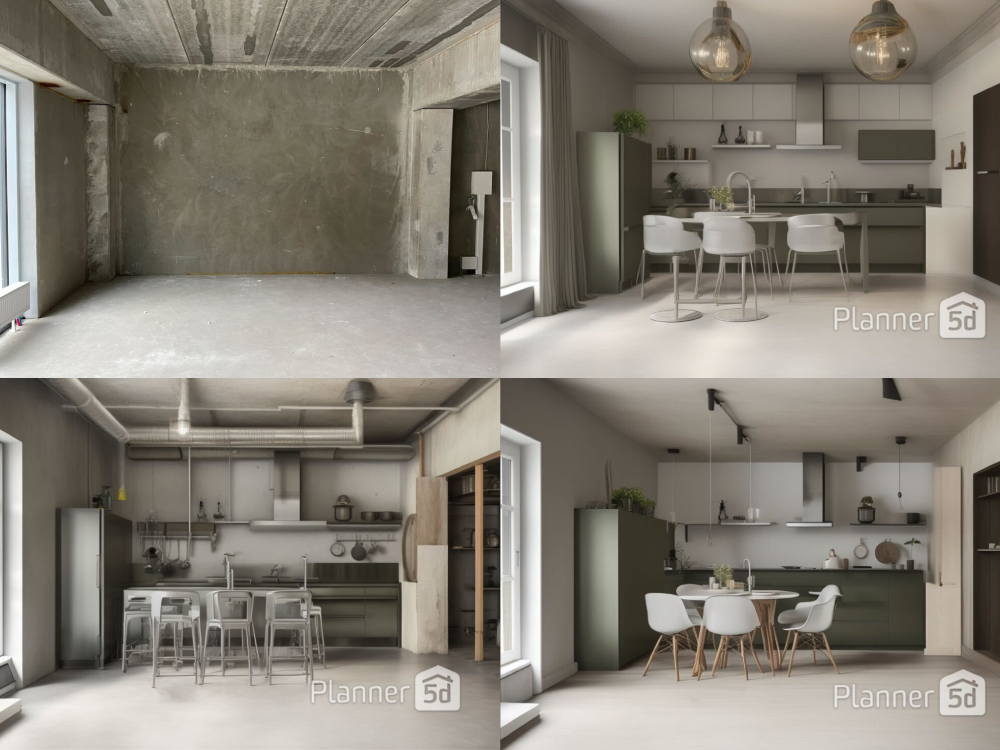
Planner5D markets several AI-assisted tools. Its AI interior design page describes Smart Wizard, Design Generator, AI floor plan recognition, photorealistic renders, and 3D or VR walkthroughs. Smart Wizard suggests furniture placement and layout options based on room function, design style, and layout. Design Generator creates design variations from user criteria. Floor plan recognition can turn a clear room photo or plan image into an editable 3D design.
These features are strongest when the job is ideation. A student can try several layouts quickly. A homeowner can see whether a direction feels plausible before paying a contractor or designer. A course creator can use generated visuals to explain scale, lighting, and flow.
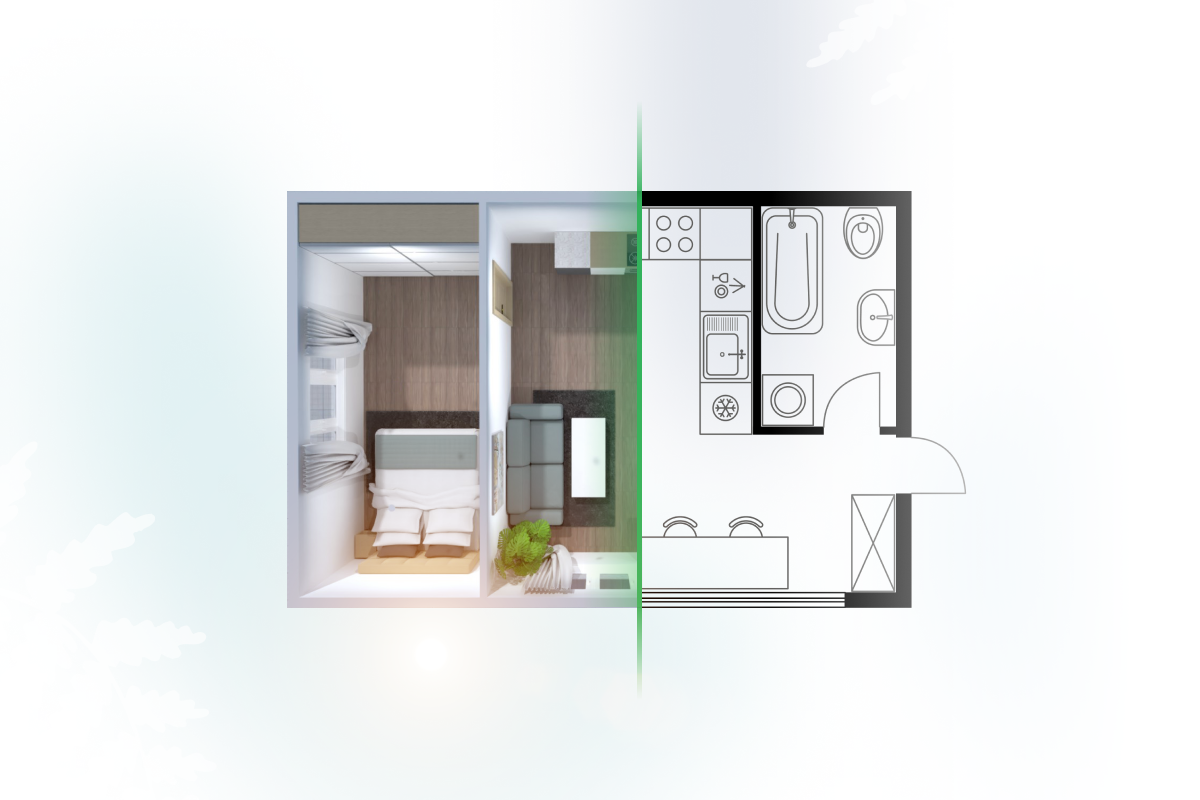
AI planning still needs restraint. Planner5D says better photos produce more precise floor plan recognition. That is a useful warning. If the input image is angled, blurry, incomplete, or missing measurements, the output may look convincing while still being wrong. Public app reviews also include complaints about crashes, shifted measurements, and precision frustration. Those reviews are not lab tests, but they match the category risk: visual planning software can communicate a concept, while final renovation or construction decisions still need measurement discipline and professional review.
Professional users should also check export expectations. Planner5D Professional lists CAD export, 4K renders, 360-degree walkthroughs, specs and docs tools, price estimation, and branded profile features on the public pricing page. That is useful for presentations. It does not mean every professional workflow, file standard, local code requirement, or contractor handoff is covered.
Pricing, Premium, Professional, and Renewal Rules
Planner5D has a real free plan. The pricing page checked on May 19, 2026 lists Free at $0 with unlimited projects, cross-device work, and access to 50 percent of the furniture catalog. Premium is listed at $4.99 per month when paid annually, or $19.99 month-to-month. Premium adds floor-plan upload, full premium furniture catalogue access, 3D model import from photos, standard renders, and a budget widget.
Professional is listed at $33.33 per month when paid annually, or $49.99 month-to-month. It adds AI Design Generator, unlimited 4K renders, 3D model uploads, 360-degree walkthrough and panorama features, CAD export, specs and docs tools, price estimator, and a branded profile. Enterprise is custom.
Those public web prices are not the whole pricing story. The official subscription types article says plans can vary by platform, region, included renders, textures, recognitions, and upgrade options. It also says all subscriptions are auto-renewable, cancellation must be completed at least 24 hours before renewal, trials can only be activated once, and full or partial refunds for unused subscription days are not available under the refund policy.
That means the safest buying workflow is specific. Check whether you are buying through the web, Apple, Google Play, Windows, macOS, or another route. Save the plan name, renewal date, trial end date, cancellation path, and checkout screenshot. That is not paranoia. It is basic SaaS hygiene when review platforms repeatedly mention subscription and refund friction.
What Public Reviews Say
Public review signals are split. Capterra shows Planner 5D at 4.5 from 117 reviews, with ease of use at 4.5 and customer service at 4.3. Positive reviews commonly focus on intuitive design, useful visual planning, 3D renderings, and the ability to help customers or students understand a space. Negative reviews mention furniture-library limits, editing friction, cancellation, and refund problems.
Trustpilot is harsher. It shows a 2.6 score from 800 reviews, labels the profile claimed, and says the company replies to 92 percent of negative reviews. Trustpilot's review summary highlights subscription model dissatisfaction, unexpected charges after trials, cancellation or refund difficulty, payment complaints, and some usability problems. A claimed profile and replies are better than silence, but they do not remove the purchase risk.
The app stores add a different view. The App Store listing shows a 4.4 rating from 36K ratings and lists in-app purchases. The Google Play listing shows a 4.3-star rating, 50M+ downloads, and data-safety disclosures indicating that location, personal info, and other data types may be collected or shared. Google Play also says data is encrypted in transit and that users can request deletion.
The fair reading is not that Planner5D is universally good or bad. It is that satisfaction depends heavily on fit. People who want fast visual planning may like it. People who expect precise architectural control, frictionless cancellation, or stable project handling may be less happy.
Who Should Use Planner5D
Use Planner5D if you need visual room planning, beginner interior design practice, classroom design assignments, moodboard-to-layout exploration, or a presentation-friendly way to communicate space ideas. The free education license program makes it especially relevant for teachers who can verify institutional eligibility and structure assignments around learning outcomes.
Premium makes sense when the full catalogue, floor-plan upload, standard renders, and budget widget are part of the project. Professional makes more sense for repeat users who need AI design generation, 4K renders, CAD export, 360-degree walkthroughs, custom model uploads, or client-facing presentation material.
Home users should start smaller. Build one room with real dimensions, place doors and windows, switch between 2D and 3D, and export or screenshot the result before paying. If the free workflow already feels frustrating, a paid plan may unlock objects and renders without fixing the way you think about the tool.
Who Should Compare Alternatives
Compare alternatives if you need construction-ready drawings, strict file standards, procurement workflows, team permissions, or detailed project governance. Planner5D can help show an idea, but final renovation decisions may need a designer, architect, contractor, or specialist CAD workflow.
Skip it as an LMS replacement. If your team needs assignments, transcripts, grading, course analytics, or cohort management, Planner5D is a project tool inside a learning workflow, not the system of record. If your team needs secure files and permissions around project assets, compare document platforms such as our Box review. If your education workflow is about lecture capture or meeting notes, read our Otter.ai review instead.
Also compare alternatives if you are billing-risk-averse. Public reviews and official refund language both make renewal management a real factor. A product can be useful and still be a poor fit for buyers who need flexible cancellation or low subscription anxiety.
A Safer Trial Workflow
Start with one small project. Use a room you can measure. Enter dimensions manually. Add doors, windows, and core furniture. Then test the exact output you need: screenshots, renders, plan upload, CAD export, walkthrough, or classroom submission. If you are evaluating for school use, test from the student side before assigning it to a class.
If AI floor plan recognition is the reason you want Planner5D, test it with a clean image before upgrading. If recognition creates messy walls or unreliable dimensions, paying for a higher tier may not solve the core input problem. If you mainly need presentation visuals, the value case can be stronger.
Before a paid trial, set a cancellation reminder two days before renewal. Save the checkout page. Confirm where the subscription is managed. For teachers, avoid asking students to buy anything until the education-license path is confirmed through an institutional account.
Verdict: Is Planner5D Worth It?
Planner5D is worth trying for visual room planning, AI-assisted design exploration, classroom design projects, and beginner interior design practice. Its education program gives it a credible school use case, and its paid tiers can be useful when renders, full catalogue access, CAD export, and walkthroughs support repeated work.
It is not a tool to buy blindly. The practical choice is to start with Free, verify the exact workflow, check the platform-specific subscription rules, and upgrade only when a paid feature solves a current job. Used that way, Planner5D can be a useful bridge between design ideas and visual communication. Used casually on autopay, it can become a subscription problem before it becomes a design solution.
FAQ
Is Planner5D free for schools?
Planner5D says it offers a free Educational License Program for schools and educational institutions. The Help Center says requests must come from teachers or professors, not individual students, and eligibility requires institutional verification.
Does Planner5D include AI design tools?
Yes. Official pages describe Smart Wizard, Design Generator, AI floor plan recognition, photorealistic renders, and 3D or VR-style walkthroughs. Availability can depend on plan, platform, region, and subscription tier.
Is Planner5D a learning management system?
No. Planner5D can support classroom projects and design learning, but it does not replace an LMS for assignments, grading, cohorts, student analytics, course delivery, or institutional reporting.
How much does Planner5D cost?
The public web pricing page checked on May 19, 2026 lists Free at $0, Premium at $4.99 per month when billed annually or $19.99 month-to-month, and Professional at $33.33 per month when billed annually or $49.99 month-to-month. Prices may vary by platform and region.
What is the main risk before paying?
The main risk is subscription management. Planner5D's Help Center says subscriptions auto-renew, cancellations must be completed before renewal, trials are one-time, and full or partial refunds for unused subscription days are not available under the refund policy.
Is Planner5D good for precise renovation plans?
It can help visualize renovation ideas, but it should not be treated as final construction documentation without professional review. Test measurement handling, export quality, and file requirements before relying on it for contractor handoff.
Sources
- Planner 5D Help Center overview
- Planner 5D education page
- Planner 5D Program for Schools and Universities
- Planner 5D pricing page
- Planner 5D subscription types
- Planner 5D AI interior design tools
- Planner 5D Capterra reviews
- Planner 5D Trustpilot reviews
- Planner 5D App Store listing
- Planner 5D Google Play listing
Title Candidates
- Planner5D Review: AI Home Design, School Licenses, Pricing, and Subscription Risks
- Is Planner5D Worth It for AI Room Design and Classroom Projects?
- Planner5D Pricing and Review: What to Check Before You Upgrade
- Planner5D for Schools: AI Design Tools, Free Licenses, and Limits
- Planner5D Review 2026: Visual Planning Strengths, App Limits, and Renewal Risks