This comparison is based on publicly available pricing, feature documentation, and course catalog analysis from both platforms as of March 2026. We have not been paid by either Skillshare or MasterClass. Where possible, we reference specific courses, instructors, and plan details verified through each platform's official site and help center.
The Core Difference Between Skillshare and MasterClass
Skillshare and MasterClass both use an annual subscription model, but the similarity mostly ends there. Skillshare is an open marketplace with over 35,000 classes where independent creators and professionals teach practical, project-based lessons. MasterClass is a curated, studio-produced platform with roughly 200+ courses taught exclusively by celebrities and world-renowned experts.
The question is not which platform is objectively better — it is which one matches how you actually want to learn.
If you want to open your laptop, follow along with a tutorial, and finish a project by the end of the session, Skillshare is built for that. If you want to sit back and absorb wisdom from someone like Gordon Ramsay, Serena Williams, or Shonda Rhimes while they share lessons from decades at the top of their field, MasterClass delivers that experience better than anything else online.
This article breaks down every major difference so you can decide which subscription earns a spot in your budget.
Pricing and Plans: What You Actually Pay
Pricing is where many comparisons start, and it is one of the clearest differentiators between these two platforms.
Skillshare Pricing (2026)
| Plan | Cost | Details |
|---|---|---|
| Annual Premium | $99/year (~$8.25/month) | Full access to all 35,000+ classes |
| Monthly Premium | $32/month | Available via mobile apps only |
| Teams | $159/seat per year | For groups of 2+; volume discounts for 30+ |
| Free trial | 7 days (up to 30 days via promos) | Credit card required upfront |
Skillshare's annual plan is the clear value play. The monthly option exists but is buried in the mobile apps and costs nearly four times more per month than the annual rate. Skillshare also runs frequent promotional trials — sometimes offering a full month free — though you need to enter payment details to start.
MasterClass Pricing (2026)
| Plan | Cost | Devices | Key Feature |
|---|---|---|---|
| Standard | $120/year ($10/month) | 1 device | Full catalog access |
| Plus | $180/year ($15/month) | 2 devices | Offline downloads |
| Premium | $240/year ($20/month) | 6 devices | Best for families |
MasterClass has no monthly billing option — every plan is billed annually upfront. There is no free trial, but MasterClass does offer a 30-day money-back guarantee, which effectively functions as a risk-free trial window if you are willing to pay first.
Price Verdict
Skillshare is cheaper at the entry level ($99 vs $120 per year), and that gap widens if you catch a promotional trial. MasterClass closes the gap with its multi-device plans, which offer genuine value for households where more than one person wants access. For solo learners on a budget, Skillshare wins on price. For a family of learners, MasterClass Premium at $240/year across six devices works out to $40 per person.
For more on timing your purchase, see our guide to seasonal deals and discount patterns.
Course Libraries: Breadth vs Depth

Skillshare: 35,000+ Classes Across Creative and Business Topics
Skillshare's library is massive and heavily weighted toward creative skills: graphic design, illustration, photography, video editing, animation, and UI/UX design. The platform has expanded into business, marketing, freelancing, productivity, and technology, but creative content remains its strongest pillar.
Classes are organized into three broad categories — Create, Build, and Thrive — with subcategories covering everything from hand lettering to social media strategy. The quality range is wide because Skillshare operates as an open marketplace: anyone can publish a class. Top instructors like Aaron Draplin (graphic design), Sorelle Amore (photography), and Peggy Dean (illustration) produce professional-quality content, but you will also encounter classes with basic webcam footage and minimal editing.
Skillshare Originals and curated Learning Paths help cut through the noise. Learning Paths bundle related classes into structured sequences — basics through mastery — and Skillshare's newer ChromaCourse format offers four-week immersive small-group courses with live Q&As and personalized feedback from expert teachers.
For a deeper look at the platform, read our Skillshare deep dive.
MasterClass: 200+ Courses from Celebrity Instructors
MasterClass takes the opposite approach. Its catalog is small by design — roughly 200+ courses across 13 categories including Writing, Business & Entrepreneurship, Film & TV, Food & Drink, Music, Science & Technology, and Sports & Athletics.
Every course is produced in-house with professional film crews, and the instructors are household names: Gordon Ramsay teaches cooking, Samuel L. Jackson teaches acting, Anna Wintour shares leadership lessons, David Sedaris teaches humor writing, Mariah Carey covers vocal techniques, and Serena Williams teaches tennis. The production quality is closer to a Netflix documentary than a traditional online course.
Each MasterClass course typically runs 3-5 hours broken into 10-minute lessons, with downloadable workbooks and supplementary materials. The content is designed to feel intimate — as if you are sitting across from the instructor having a private conversation about their craft.
Library Comparison Table
| Factor | Skillshare | MasterClass |
|---|---|---|
| Total courses | 35,000+ | 200+ |
| Categories | Creative, business, tech, lifestyle | 13 categories across arts, sciences, business |
| Instructor model | Open marketplace (anyone can teach) | Curated celebrity/expert only |
| Average course length | 30 min – 2 hours | 3 – 5 hours |
| Lesson format | 5-15 minute project-based lessons | Up to 10 minutes, lecture-style |
| Supplementary materials | Class projects, community discussion | Downloadable workbooks |
| New content frequency | Hundreds of new classes monthly | ~30-50 new courses per year |
Learning Experience: Doing vs Watching
This is the philosophical divide between the two platforms, and it matters more than most comparisons acknowledge.
Skillshare: Project-Based and Community-Driven

Skillshare's pedagogy is built around projects. Most classes include a class project that asks you to apply what you have learned — design a logo, edit a photo, write a business plan. Students upload their finished projects to the class page, where other students and sometimes the instructor offer feedback.
This project-first approach makes Skillshare genuinely useful for building portfolio-ready skills. If you complete a class on brand identity design, you leave with an actual brand identity in your portfolio, not just notes.
The community layer amplifies this. Skillshare runs monthly challenges, hosts student critique sessions, and maintains interactive discussion boards. About 72% of Skillshare usage comes from mobile devices in 2026, meaning many learners are fitting short project-based classes into commutes and breaks.
MasterClass: Cinematic and Inspirational
MasterClass is closer to a masterful lecture series than a hands-on workshop. You watch, you absorb, you take notes. The workbooks provide exercises, but the platform does not have a built-in project submission or peer feedback system.
MasterClass does offer a community forum, but it is not as active or accountability-driven as Skillshare's community. The emphasis is on personal reflection rather than peer-to-peer interaction.
This is not a weakness — it is a design choice. When Gordon Ramsay walks you through how he builds a dish, the value is in watching a master at work and internalizing his thought process. When Shonda Rhimes explains how she structures a TV pilot, you are learning frameworks you can apply on your own terms.
The tradeoff is that MasterClass requires more self-direction. You need to take the inspiration and create your own practice routine around it. There is no built-in accountability loop.
Who Teaches on Each Platform
Skillshare Instructors
Skillshare's open model means instructor quality varies enormously. The best Skillshare teachers are working professionals who have built reputations through the platform:
- Aaron Draplin — Graphic designer behind Field Notes, known for bold, energetic design classes
- Sorelle Amore — Self-portrait and travel photography with millions of views
- Peggy Dean — Hand lettering and botanical illustration
- Nathaniel Drew — Productivity and creative workflow
- Ali Abdaal — Productivity systems and content creation (also known for YouTube)
The platform also features Skillshare Staff Picks and top-rated badges to help surface quality content. Still, discovering great classes requires some browsing and reliance on student reviews.
MasterClass Instructors
MasterClass's roster reads like an awards show guest list:
- Gordon Ramsay — Cooking techniques (two separate courses)
- Serena Williams — Tennis fundamentals and mental game
- Samuel L. Jackson — Acting craft
- Anna Wintour — Creativity and leadership
- David Sedaris — Humor and storytelling
- Bob Iger — Business strategy and leadership
- Sara Blakely — Entrepreneurship (Spanx founder)
- Mariah Carey — Vocal performance
- Neil deGrasse Tyson — Scientific thinking
Every instructor has decades of world-class achievement. The trade-off is that you cannot interact with them directly — these are pre-recorded, professionally produced courses, not live sessions.
Content Categories: Where Each Platform Excels
Skillshare's Strongest Areas
- Graphic design and illustration — The single deepest content vertical on the platform
- Photography and video production — From smartphone basics to advanced color grading
- UI/UX design — Practical courses using Figma, Sketch, and Adobe XD
- Freelancing and entrepreneurship — Building a client base, pricing, proposals
- Writing and creative nonfiction — Journaling, blogging, screenwriting basics
MasterClass's Strongest Areas
- Cooking and food — Multiple instructors including Ramsay, Thomas Keller, Massimo Bottura
- Writing — Fiction (James Patterson), screenwriting (Aaron Sorkin), humor (David Sedaris)
- Music and performance — Vocal training, songwriting, DJing, piano
- Business and leadership — Bob Iger, Howard Schultz, Sara Blakely
- Film and acting — Martin Scorsese, Samuel L. Jackson, Jodie Foster
Where Neither Platform Leads
For technical career skills like programming, data science, or cloud computing, neither Skillshare nor MasterClass is the best fit. Platforms like Coursera or Udemy offer more structured, career-focused pathways with recognized credentials. Our online course buying guide covers what to evaluate when your goal is career advancement rather than creative enrichment.
Certificates and Career Value
Neither platform is accredited, and neither will move the needle on a resume the way a Coursera Professional Certificate or a university-backed credential would.
Skillshare issues completion certificates for finished classes, but these are participation records rather than skill validations. They can show initiative on a portfolio site or LinkedIn profile, but hiring managers generally will not weight them heavily.
MasterClass does not offer certificates for its standard courses. It has introduced a separate MasterClass Certificates program focused on professional development, but this is a distinct product from the standard subscription.
If credentials matter for your goals, both platforms are better understood as supplements to — not replacements for — credentialed learning. Consider pairing either subscription with a structured program on Coursera for the certification side.
Mobile Experience and Offline Access
Both platforms offer iOS and Android apps with solid mobile experiences.
Skillshare allows offline downloads on its Premium plan, and with 72% of its usage coming from mobile, the app experience is clearly a priority. The interface is clean, browsing is straightforward, and class playback works well on smaller screens.
MasterClass restricts offline downloads to its Plus and Premium plans ($180/year and $240/year). The Standard plan ($120/year) is streaming-only. The app itself is polished, with a Netflix-like browsing experience that matches the platform's cinematic brand.
For learners who want to download lessons for offline viewing on a commute or flight, Skillshare's approach is more inclusive — offline access comes standard with any Premium plan.
Language Support
Skillshare supports subtitles in 5+ languages and has a growing library of non-English content as its international community expands.
MasterClass is primarily English-language, with limited subtitle support in Spanish and German. If you are a non-English speaker, Skillshare currently offers broader accessibility.
Refund Policies and Flexibility
| Policy | Skillshare | MasterClass |
|---|---|---|
| Free trial | 7 days (up to 30 days via promos) | None |
| Refund window | 7-day refund policy | 30-day money-back guarantee |
| Cancellation | Cancel anytime, access until period ends | Cancel anytime, access until period ends |
| Auto-renewal | Yes (annual plan) | Yes (all plans) |
MasterClass's 30-day money-back guarantee is more generous than Skillshare's 7-day refund window, partially compensating for the lack of a free trial. If you are genuinely unsure, you can sign up for MasterClass, explore it for a month, and request a full refund if it is not for you.
Skillshare's free trial is the lower-friction option — you can explore the platform without paying anything upfront, as long as you remember to cancel before the trial ends and the annual charge hits.
Head-to-Head: Skillshare vs MasterClass Summary
| Dimension | Skillshare | MasterClass | Edge |
|---|---|---|---|
| Price (entry) | $99/year | $120/year | Skillshare |
| Course volume | 35,000+ | 200+ | Skillshare |
| Production quality | Variable | Cinematic | MasterClass |
| Instructor fame | Working professionals | Global celebrities | MasterClass |
| Hands-on learning | Project-based with feedback | Workbooks, self-directed | Skillshare |
| Community | Active, peer-driven | Limited forums | Skillshare |
| Offline access | All Premium plans | Plus and Premium only | Skillshare |
| Multi-device sharing | Single user only | Up to 6 devices (Premium) | MasterClass |
| Free trial | 7-30 days | None (30-day guarantee) | Skillshare |
| Certificates | Completion certificates | Separate program | Skillshare |
| Non-English support | 5+ languages | English + limited | Skillshare |
Who Should Choose Skillshare
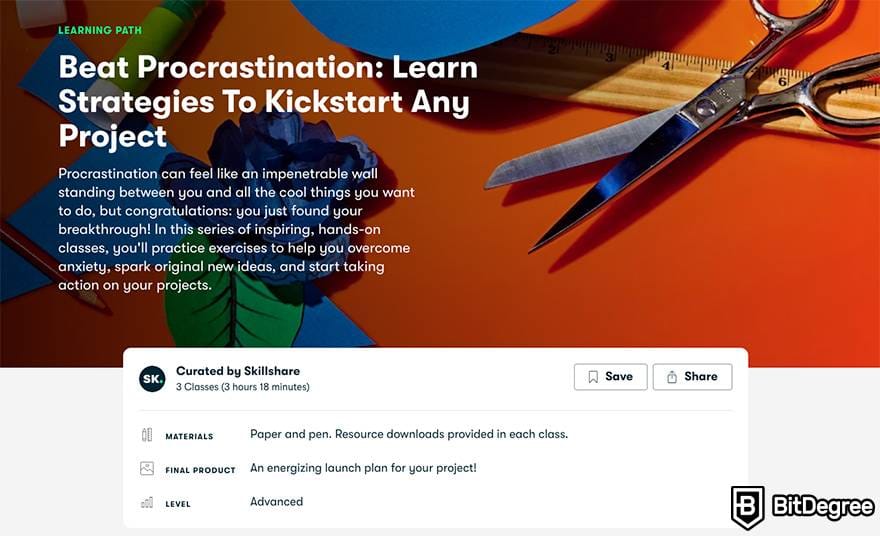
Skillshare is the better choice if you:
- Want to build practical creative skills — illustration, design, photography, video editing — through guided projects
- Are on a tight budget and want the most content per dollar
- Value community feedback and want to share your work with peers
- Prefer short, focused classes you can finish in a single sitting
- Want to explore a wide range of topics before committing deeply to one
- Need offline access without paying for a premium tier
- Are a freelancer or side-project creator looking for immediately applicable skills
Skillshare's sweet spot is the learner who wants to do. If you finish a class and have something tangible to show for it — a design, a photograph, a business plan — Skillshare has delivered on its promise.
Who Should Choose MasterClass
MasterClass is the better choice if you:
- Want to learn from specific celebrity instructors whose work you admire
- Value production quality and want a premium, Netflix-like viewing experience
- Are looking for inspiration and high-level insight rather than step-by-step tutorials
- Want to share access with family across multiple devices
- Enjoy longer, deeper dives into a single subject with a master practitioner
- Are buying a gift — MasterClass's presentation and celebrity factor make it a strong gift subscription
MasterClass's sweet spot is the learner who wants to absorb. If you finish a course feeling inspired and armed with frameworks from someone who has spent decades mastering their craft, MasterClass has done its job.
Can You Use Both?
At a combined cost of roughly $219-$220 per year (Skillshare annual + MasterClass Standard), using both platforms is a viable option for serious learners. The overlap between them is surprisingly small — you would use Skillshare for hands-on skill building and MasterClass for inspiration and high-level thinking.
A practical approach: start with whichever platform aligns with your immediate goal. If you want to learn graphic design, start with Skillshare. If you want to understand storytelling from Aaron Sorkin, start with MasterClass. Add the other when you have exhausted what the first offers for your current focus.
The Bottom Line
Skillshare and MasterClass are not really competing for the same learner. Skillshare is a workshop; MasterClass is a lecture hall. Skillshare is taught by people who do the work; MasterClass is taught by people who have become famous for doing the work. Skillshare helps you build skills; MasterClass helps you build perspective.
For most learners who want actionable, portfolio-building creative education at an accessible price, Skillshare at $99/year is the stronger value. For learners who want cinematic, celebrity-taught courses that inspire and inform at a higher level, MasterClass starting at $120/year delivers a unique experience no other platform matches.
Neither is a waste of money. The right choice depends entirely on whether you want to leave each session with a finished project or a changed perspective.